Download Smart Ruler free on android
APK file Smart Ruler 1.7.3How to install APK / APKS / OBB file on Android

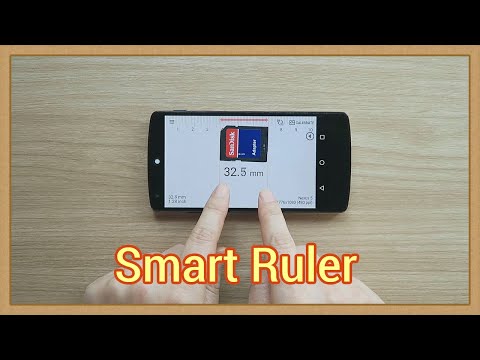

Smart Ruler is in the 1st set of the Smart Tools collection.
This app measures the length of a small object by touching the screen.
Usage is very simple.
1. Put an object on the screen of your device.
2. Adjust the object to the left of the screen.
3. Touch the screen, adjust the red line and read the length.
* Main features :
- Multi-touch
- Meter <-> Inch
- Background color
- Material design
I calibrated the app on a lot of Android devices. If it is not accurate, you can enter the actual width with [Calibration] menu.
* Pro version added features:
- No ads
- Caliper mode
- Architectural and Engineering scales
- Ruler extension
- Protractor, level, thread pitch
* Do you want more tools?
download [Smart Ruler Pro] and [Smart Tools] package.
For more information, watch YouTube and visit the blog. Thank you.
- v1.7.2 : More models are calibrated
- LicenseFree
- File nameSmart Ruler
- File Version1.7.3
- Package namekr.sira.ruler
- UploadedOctober 3, 2026

- CategoryTools
- DeveloperSmart Tools co.
- Developer sitehttp://androidboy1.blogspot.com/2015/12/smart-tools-v20.html
- Developer emailandroidboy1@gmail.com
- Permissionsshow (8)
